
Reference

pkr100 App and Browser Access on Your Phone

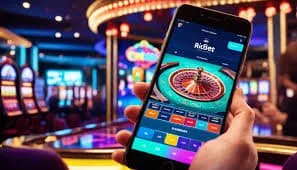
The pkr100 mobile experience runs through your phone browser — no install required to reach the lobby, check your wallet, or jump into a live table.

mobile browserdevice continuityaccount syncavailability checkno forced install
pkr100 pkr100 App and Browser Access on Your Phone
pkr100 Mobile Access in 3 Steps

Mobile Access in 3 Steps

Getting into the pkr100 mobile lobby does not require an app store visit. The browser session is the access path, and it works on current Android and iOS browsers without any file download. If a native app build becomes available for your region, the download link will appear on this page — check back here rather than searching third-party sources, which may

carry unofficial files. For now, the three steps below get you into a full mobile session.

  • Open the current site — Type pkr100 into your mobile browser address bar or tap a saved bookmark. The mobile layout loads automatically.
  • Check browser compatibility — Chrome on Android and Safari on iOS both run the full session. Make sure your browser is updated to a recent version for the smoothest experience.
  • Sign in securely — Enter your account credentials or use fingerprint login if you have enabled it. An OTP may be sent to your registered number as a second verification step.

DEVICE COMPATIBILITY

Supported Devices and Account Requirements

The pkr100 mobile session is designed to run on the phones most Pakistan players already carry. Check the points below before your first session.

Method Payout time Speed
Browser access Chrome, Firefox, and Safari on current versions all support the full lobby. Older browser versions may miss certain live-table features — update if the layout looks broken. Fast
Screen layout The interface reflows for screens from 5 inches upward. Landscape mode is available for live tables; portrait works for slots and the sportsbook betslip. Fast
Account requirement A verified pkr100 account is required before you can access the lobby on mobile. Registration and wallet verification happen through the same browser session. Medium
Currently supported devices Any Android or iOS device running a browser released in the last two years should work. Check the support channel if your specific device shows layout issues. Medium
Regional availability Mobile access is available where local law permits. If the lobby does not load in your region, availability in your area may be restricted under local regulations. Slow
APP FEATURE SNAPSHOT

Key Features Built Into the Mobile Session

These are the mobile-specific features that make returning to pkr100 faster and smoother than a standard browser visit.

Fingerprint Login Biometric sign-in is available on supported Android and iOS devices. Tap once and you are in — no password entry needed for returning sessions.
Push Notifications Enable notifications to get round results, account alerts, and wallet confirmations sent directly to your lock screen without opening the browser.
Dark Mode Display The mobile interface follows your device display setting. Dark mode reduces eye strain during late-night sessions on live tables or crash games.
Offline Lobby Preview The lobby tile layout caches on your device so you can browse game categories and check the sportsbook structure even before your connection fully loads.
pkr100 Inside the pkr100 Mobile Experience

Inside the pkr100 Mobile Experience

Open the pkr100 mobile session and you land directly in the lobby — slots from Pragmatic Play and PG Soft, live tables including Pakistan Live Room 507 and Pakistan Fast Table 508, and the sportsbook where cricket markets sit at the front. The mobile layout keeps your betslip visible while you browse, so switching from Aviator Mobile Play to a live baccarat

table does not mean losing your place. Quick deposit is one tap from the wallet icon, and push notifications let you know when a round result or account update is ready. Fingerprint login cuts the sign-in path to under three seconds on supported Android and iOS devices.

Common Questions About pkr100 Mobile Access

Answers to what Pakistan players ask most about using pkr100 on their phones.

A native app listing is not currently confirmed. Access runs through your mobile browser at pkr100. If an official app build launches, the link will appear on this page.

Yes, biometric login is supported on Android and iOS devices that have fingerprint or face unlock set up. Enable it once in your account security settings and it applies to future sessions.

Your account is the same across all devices. Balance, bet history, and wallet details sync in real time, so switching from mobile to desktop mid-session carries everything across.

The full lobby is available on mobile, including Aviator Mobile Play, Pakistan Live Room 507, Pakistan Fast Table 508, and slots from Pragmatic Play and PG Soft. Cricket betting markets are also accessible through the mobile sportsbook.

Tap the wallet icon in the mobile lobby, select JazzCash, Easypaisa, or Raast, and follow the on-screen steps. Confirm the transfer in your payment app and the balance updates in your pkr100 account.

First check that your browser is up to date and that you have a stable connection. If the issue continues, contact pkr100 support through the help channel listed in your account dashboard.
Reference

pkr100 App

Service availability depends on eligible regions and local law. Users should check local rules before opening an account.

Access may be available only where local law permits.